

The spreadsheet
your Mac deserves

100+ functions, pivot tables, interactive charts, on-device AI assistance — all in a fully native macOS app. No subscription. No account. No internet required.
Requires macOS 26 or later · Apple Silicon · AI features require Apple Intelligence
A Formula Engine That Doesn't Cut Corners
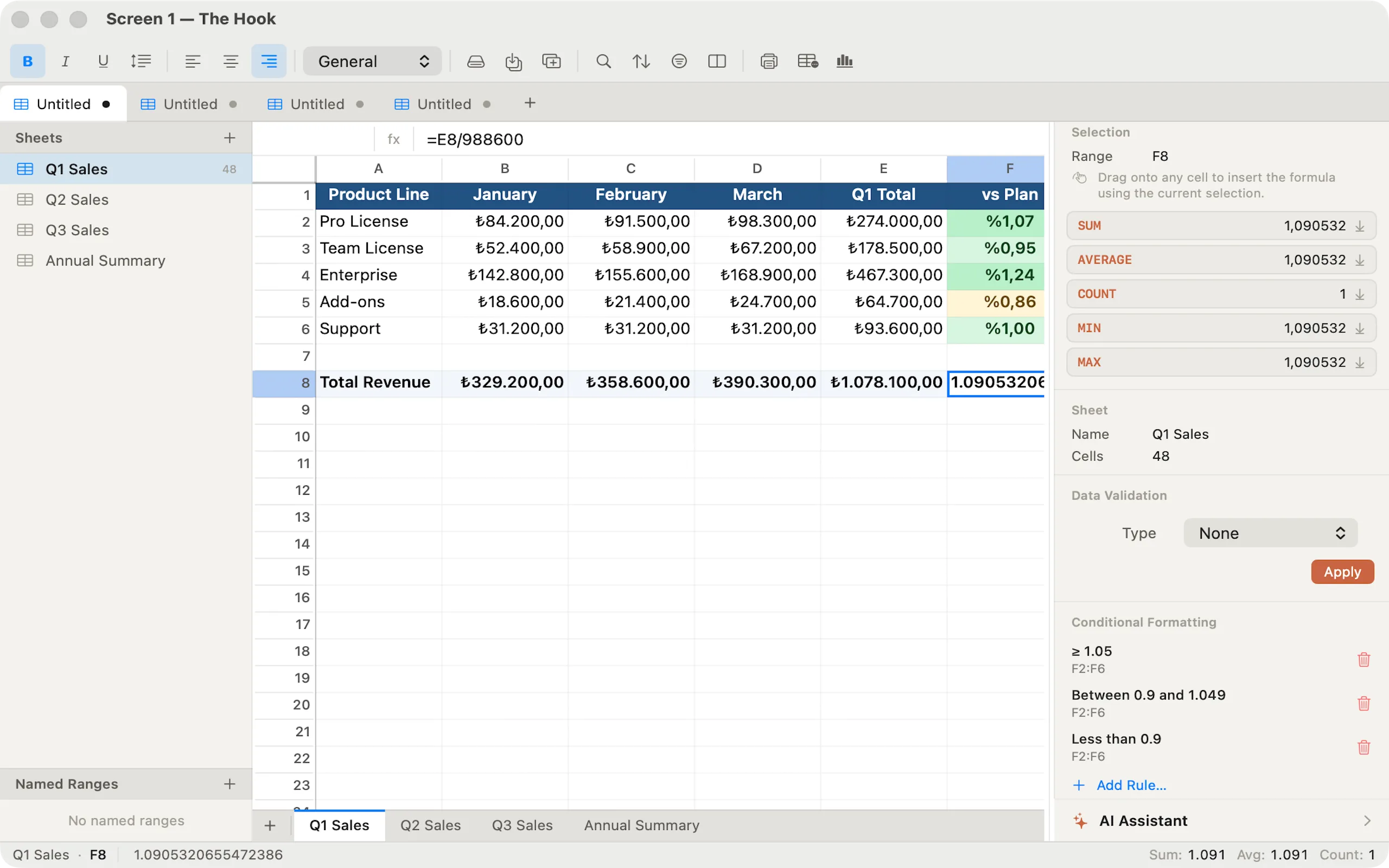
Over 100 built-in functions covering math, statistics, text, date/time, logical operations, and advanced lookups. VLOOKUP, XLOOKUP, INDEX/MATCH, SUMIFS, COUNTIFS, dynamic arrays — all here. Formulas update in real time with full circular-reference detection and meaningful error codes.
Highlights
- 100+ functions: SUM, AVERAGE, VLOOKUP, XLOOKUP, INDEX/MATCH, SUMIFS, and more
- Real-time dependency graph — formulas recalculate instantly as you type
- Dynamic array functions: FILTER, SORT, SORTBY, UNIQUE, SEQUENCE
- Cross-sheet references, named ranges, absolute and relative cell addresses
AI Assistant — Entirely On Your Mac
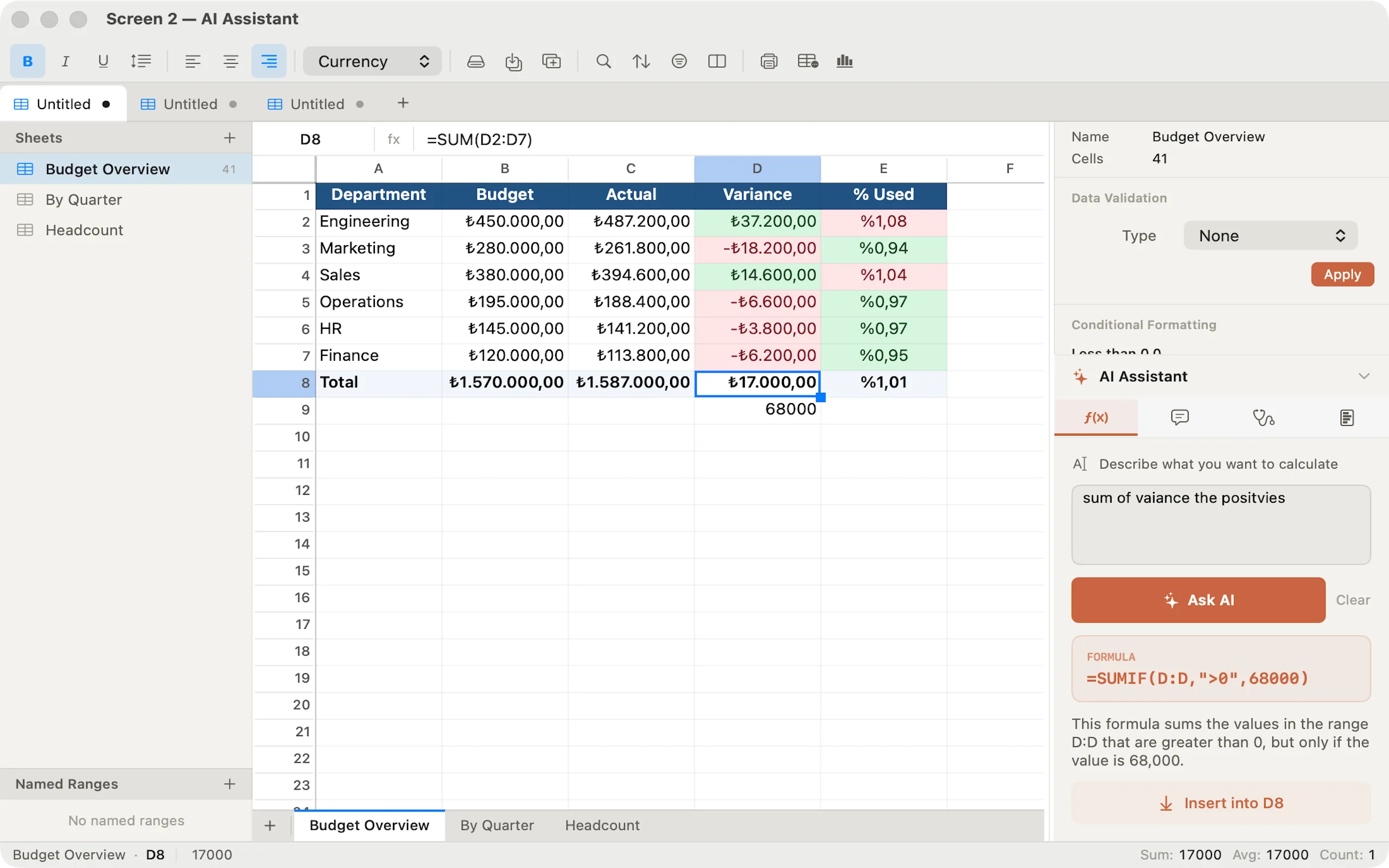
The built-in AI assistant uses Apple's on-device Foundation Models to help you write formulas from plain English, explain what a formula does, diagnose errors with concrete fixes, and summarise data ranges with key insights. No data ever leaves your device.
Highlights
- Formula mode — describe what you want, get a working formula instantly
- Explain mode — plain-language breakdown of any formula you select
- Diagnose mode — understand and fix #VALUE!, #REF!, and other errors
- Insight mode — key trends, totals, outliers, and patterns from selected data
Interactive Charts That Update Live
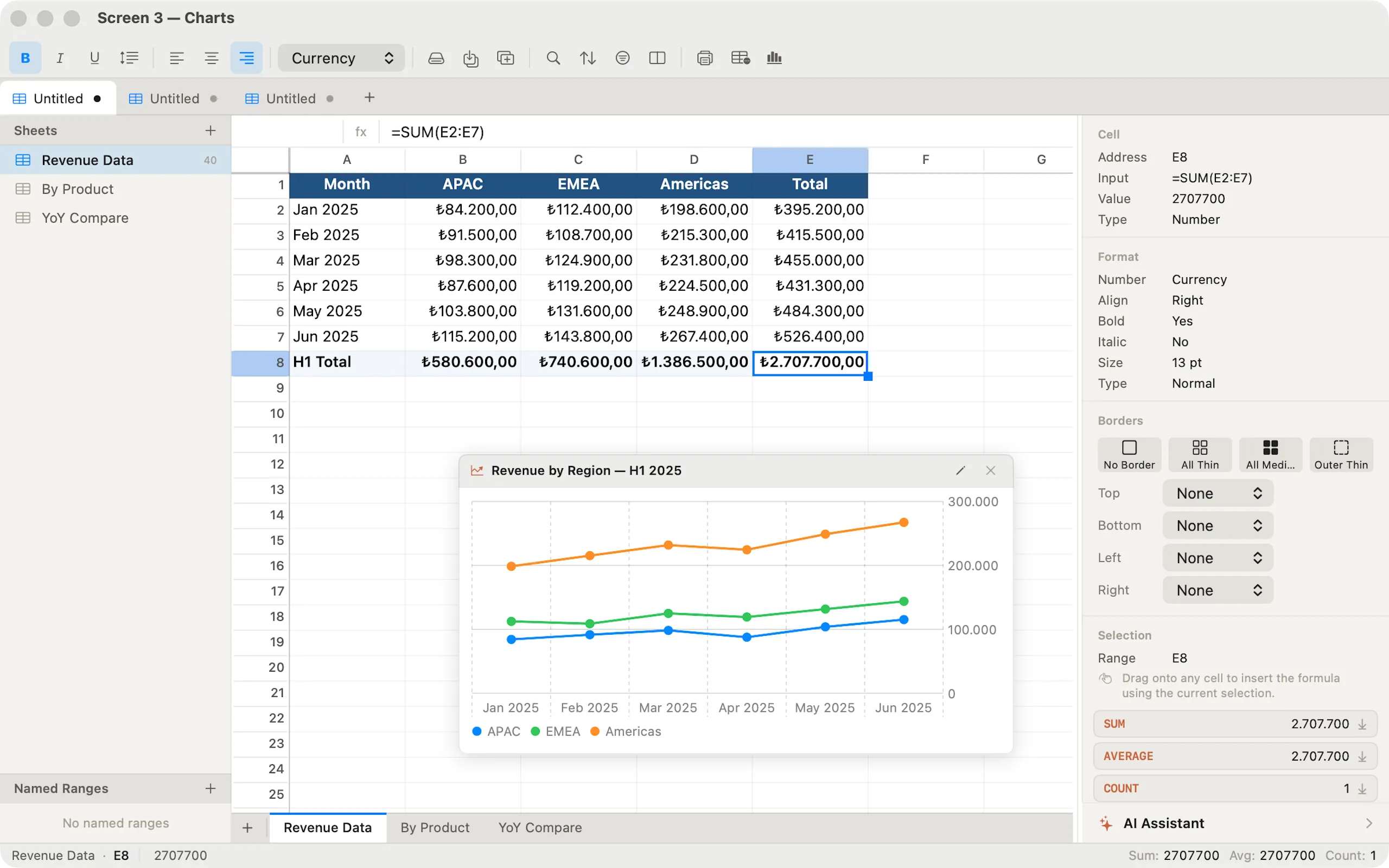
Insert Column, Bar, Line, Area, or Pie charts with one click. Charts are live — edit any source cell and the chart updates instantly. Each chart floats as a draggable, resizable panel over the grid. Configure source range, series names, and chart title in the builder panel.
Highlights
- Five chart types: Column, Bar, Line, Area, Pie
- Live charts — update automatically as you edit cell values
- Floating, draggable panels — reposition anywhere on the sheet
- One-click insert from the toolbar, with full configuration in the builder
Power Features. No Limits.
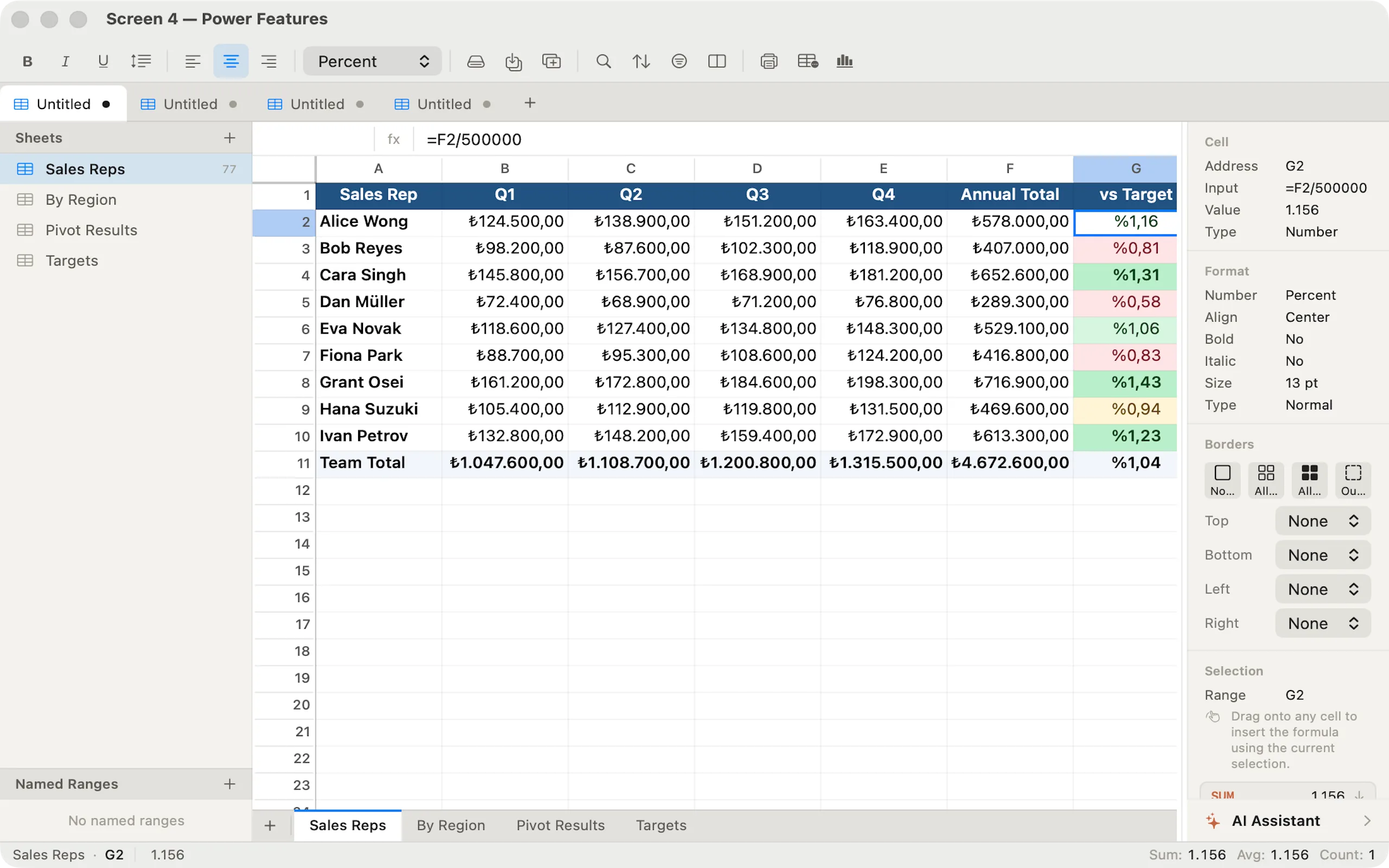
Conditional formatting with 22 rule types including data bars and color scales. Multi-level sort, AutoFilter with per-column value pickers, data validation dropdowns, pivot tables, named ranges, freeze panes, find and replace, and Paste Special with transpose and arithmetic overlay.
Highlights
- 22 conditional formatting rules — data bars, color scales, top/bottom N, duplicates
- Pivot tables with Sum, Count, Average, Min, Max aggregations
- AutoFilter with per-column value pickers and multi-column AND logic
- Data validation — list dropdowns, number ranges, custom formula rules
Excel Compatible. Your Data, Your Format.
Import and export .xlsx files with full support for multiple sheets, cell styles, number formats, conditional formatting rules, named ranges, and data validation. Share workbooks with colleagues using Excel, Numbers, or Google Sheets — without losing formatting.
Highlights
- Open and save .xlsx files — works with Excel, Numbers, and Google Sheets
- Exports cell styles: bold, italic, font size, colours, borders, alignment
- Exports conditional formatting rules and named ranges to XLSX
- Native .sfx format uses open JSON — human-readable and future-proof
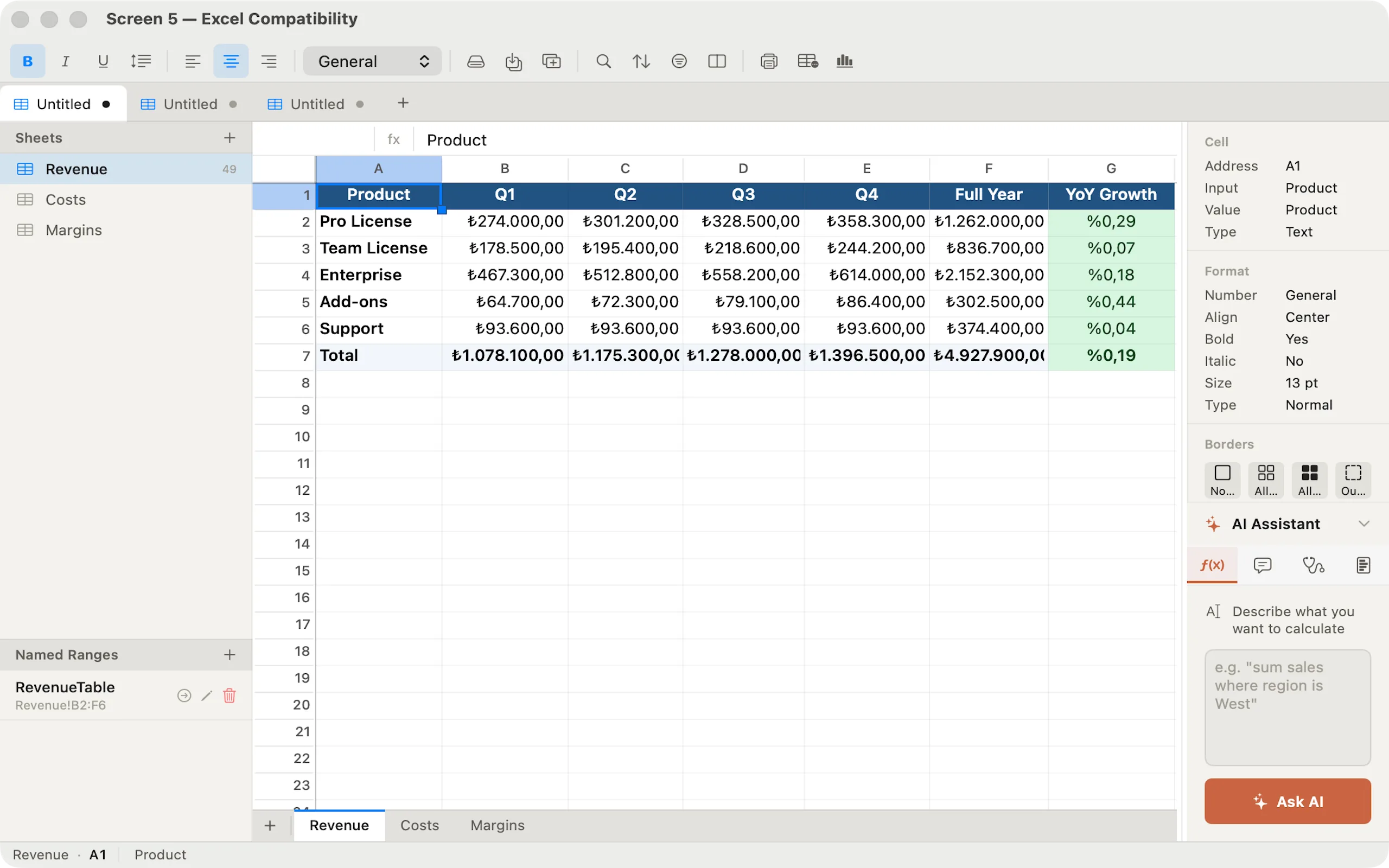
Technical specifications.
FORMULA ENGINE
- 100+ built-in functions
- Real-time dependency graph
- Circular reference detection
- Dynamic arrays (FILTER, SORT, UNIQUE)
CHARTS & VISUALS
- Column, Bar, Line, Area, Pie
- Live-updating floating charts
- 22 conditional formatting rules
- Data bars and color scales
AI (macOS 26+)
- Formula generation from plain English
- Formula explanation mode
- Error diagnosis with fix
- Data range insight summaries
DATA TOOLS
- Pivot tables (5 aggregations)
- Multi-level sort (3 keys)
- AutoFilter with value pickers
- Data validation — list, number, formula
FILE FORMATS
- Native .sfx (open JSON format)
- Import & export .xlsx
- Full style round-trip to Excel
- Named ranges and CF rules in XLSX
NATIVE
- Swift + SwiftUI + NSView grid
- No Electron, no web engine
- Sandboxed — full macOS security
- Light and dark mode — system
Questions
Frequently asked questions
Is Sheetforge really free?
Yes. Sheetforge is completely free — no subscription, no in-app purchases, no premium tier, no feature gating. Every feature described here is available to every user from day one.
Does it work without an internet connection?
Yes. Sheetforge works entirely offline. All spreadsheet features, formula calculation, charts, and formatting work without internet access. The only network activity is Apple's standard App Store licensing verification, handled entirely by Apple.
Do AI features require an internet connection?
No. All AI features run on-device using Apple's Foundation Models framework (Apple Intelligence). No data is sent to any server. AI features require macOS 26 or later, Apple Silicon, and Apple Intelligence enabled in System Settings.
Can I open Excel files?
Yes. Sheetforge imports and exports .xlsx files produced by Microsoft Excel, Apple Numbers, Google Sheets, LibreOffice Calc, and other OOXML-compatible apps. Cell styles, multiple sheets, formulas, and most formatting round-trip correctly.
Is Sheetforge as capable as Excel or Google Sheets?
For everyday spreadsheet work — formulas, charts, pivot tables, conditional formatting, data validation, and sorting — yes. Some advanced features like VBA macros, cell merging, and true array spill are not yet supported. See our feature reference for a complete list of what's included.
What is the .sfx file format?
Sheetforge's native format is an open JSON document. You can inspect or process .sfx files with any text editor or scripting tool. You will never be locked out of your own data. When FileVault is enabled on your Mac, all files — including .sfx workbooks — are encrypted at rest by macOS.
How Sheetforge was built
Technical notes behind the app.
The product pages show what shipped. These guides and case studies document the architecture patterns, privacy decisions, and SwiftUI implementation details behind apps like Sheetforge.
Download Sheetforge
The native Mac spreadsheet with 100+ functions, on-device AI, and Excel compatibility. Free. No account. No internet required.
Download on the Mac App StoreFree
Requires macOS 26 or later · Apple Silicon · AI features require Apple Intelligence

Part of Forge Suite
Sheetforge is part of the Forge Suite family.
Explore six native Mac apps for 3D, spreadsheets, documents, photos, video, and audio. Each app explains its availability and any optional upgrades on its own product page.