

Professional photo editing
without the subscription

Unlimited layers, RAW develop, 7 brush types, non-destructive adjustments, and on-device AI — all in a fully native macOS app. No Adobe account. No monthly fee. No cloud.
Requires macOS 15 or later · Apple Silicon recommended · All AI features run on-device
Layers, Masks & Real-Time Metal Compositing
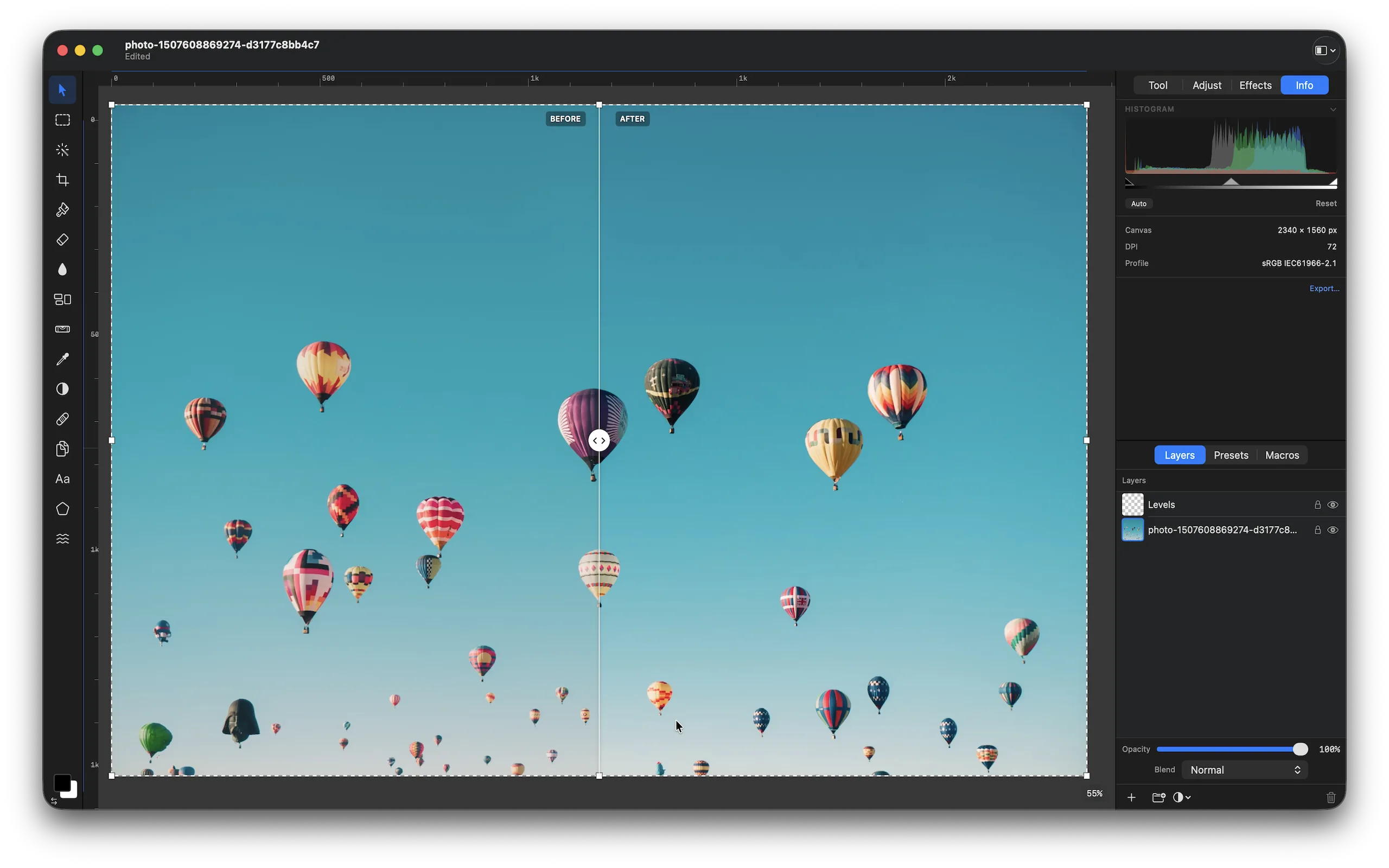
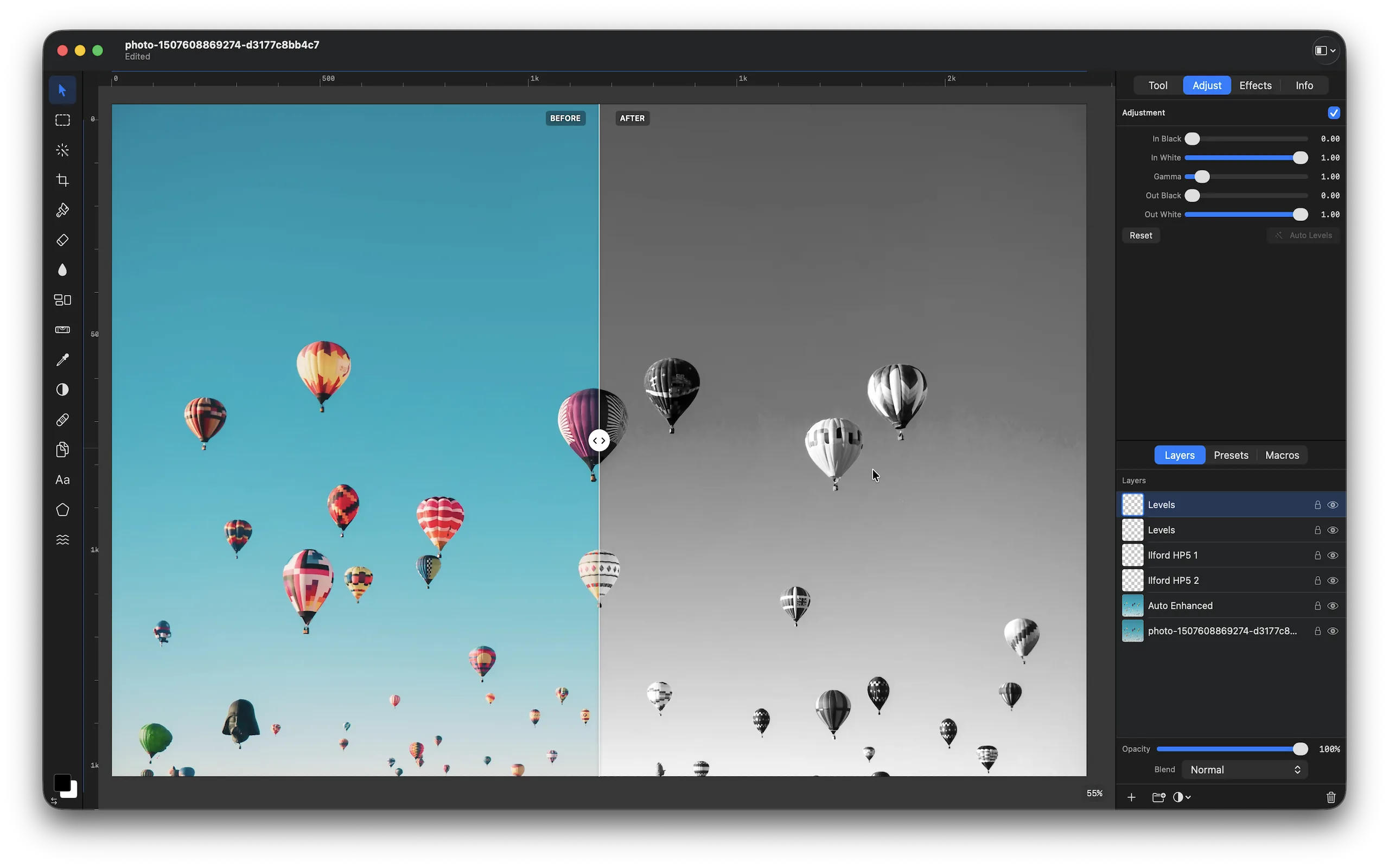
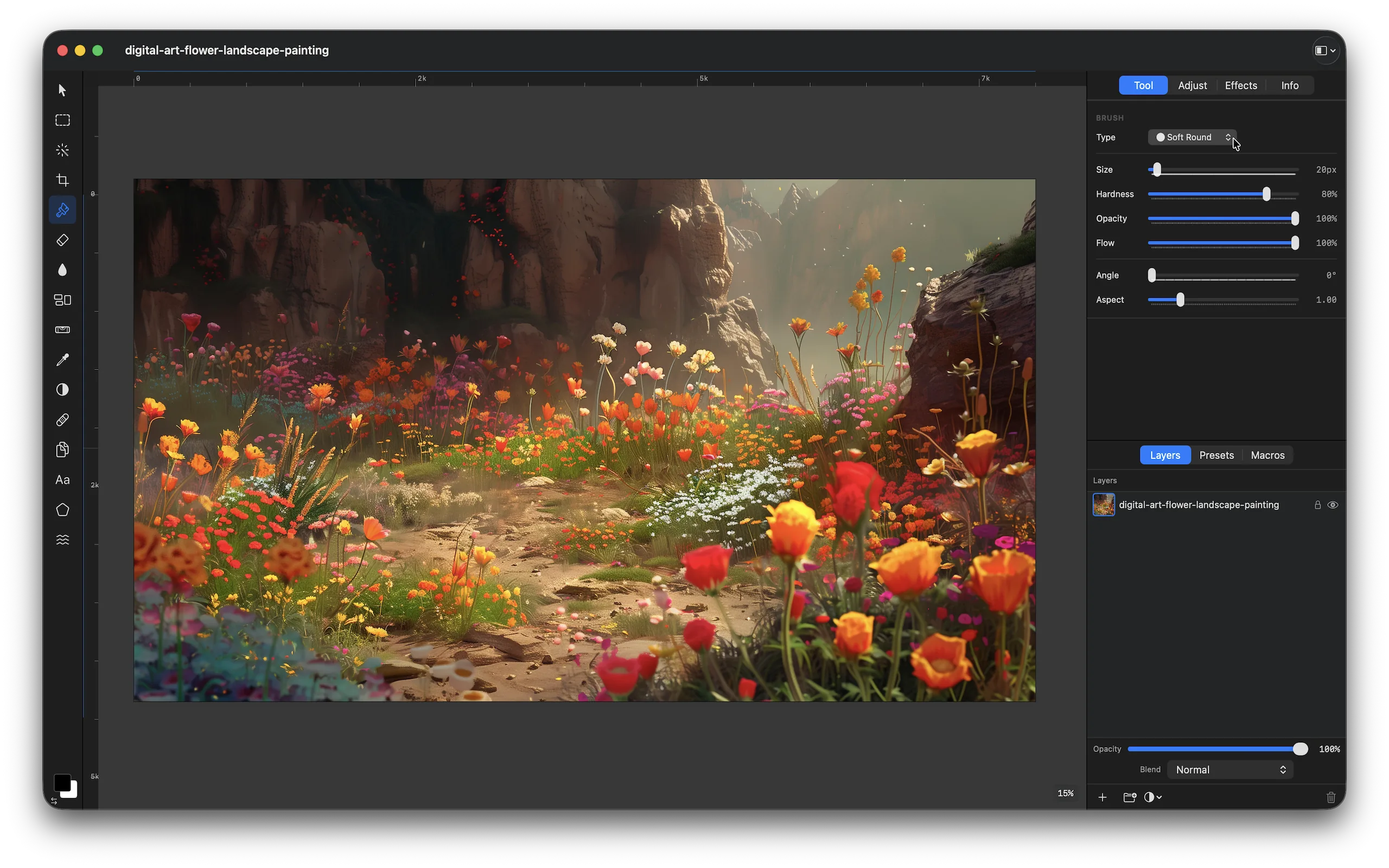
Unlimited pixel, adjustment, text, fill, and group layers with a 60fps Metal render pipeline. Full blend mode support, non-destructive layer masks, and smart canvas resizing with Lanczos, bilinear, or nearest-neighbour resampling. The compositing engine never touches the CPU.
Highlights
- Unlimited layers — pixel, adjustment, text, fill, and group types
- 60fps Metal GPU render pipeline on any Apple Silicon Mac
- Full blend mode support — Multiply, Screen, Overlay, Soft Light, Luminosity, and more
- Non-destructive layer masks — paint, invert, apply, or disable at any time
Professional Brush Engine — 7 Tip Types
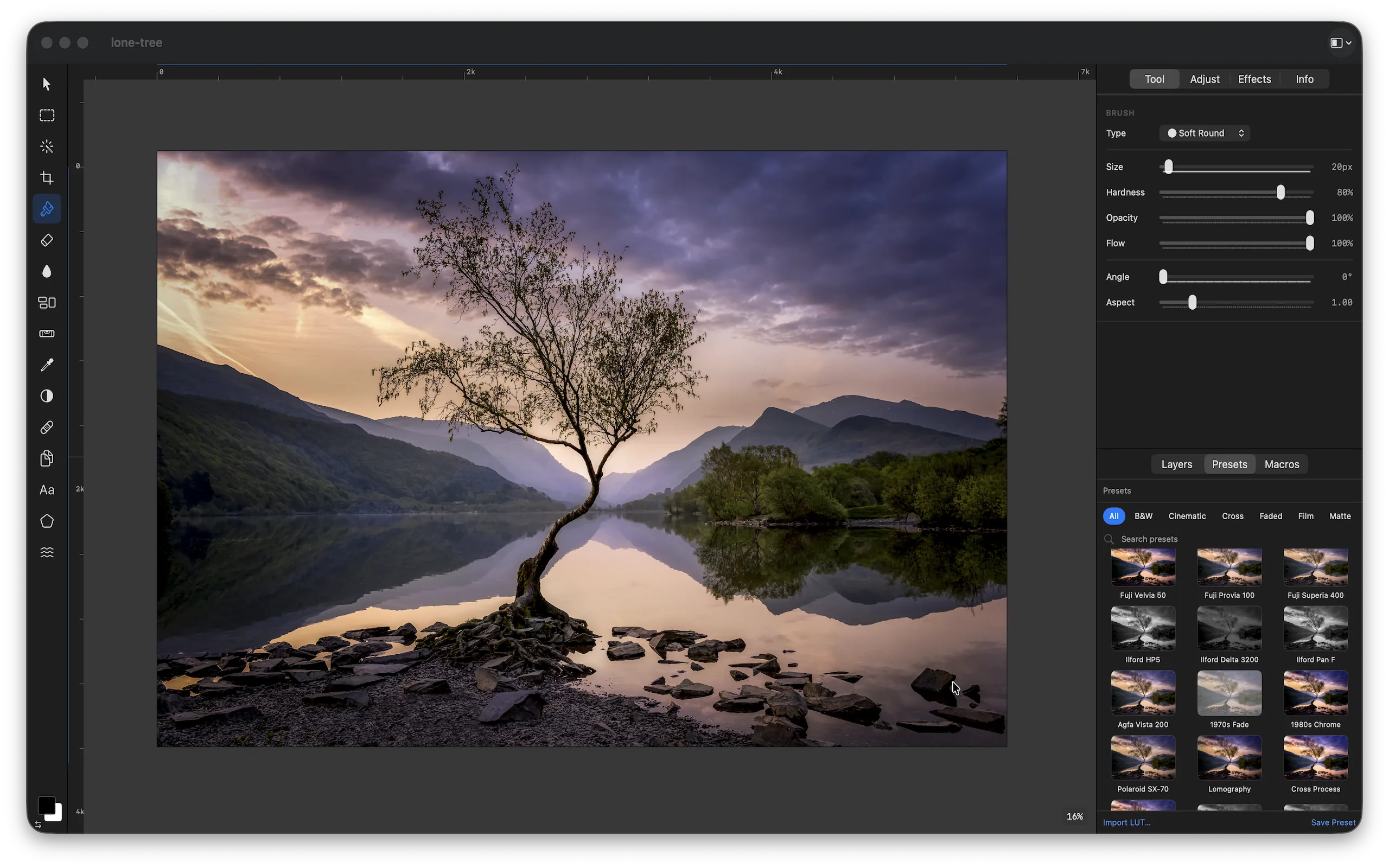
Seven professional brush types with per-brush size, hardness, opacity, flow, angle, aspect ratio, and scatter controls. Soft Round, Hard Round, Pencil, Airbrush, Scatter, Textured, and Square tips — plus a full Eraser with the same engine. Paint directly on layer masks in grey values.
Highlights
- Soft Round, Hard Round, Pencil, Airbrush — for every stroke style
- Scatter brush for organic texture and foliage effects
- Textured brush — load any image as a custom brush tip
- Per-brush size (1–500px), hardness, opacity, flow, angle, and scatter controls
On-Device AI — Seven Smart Features
Background removal, Smart Subject Select, AI Upscale (2×/4×/8×), AI Denoise, Auto Enhance, Saliency Select, and White Balance Correction — all powered by Apple Vision, Core ML, and Foundation Models running entirely on your Mac. Your images never leave the device.
Highlights
- Background Removal — one-click via Apple Vision segmentation, fully offline
- Smart Select — click any subject for a precise neural selection mask
- AI Upscale up to 8× — sharper than bicubic at every scale
- AI Denoise — remove high-ISO noise while preserving fine detail
RAW Develop + Full Adjustment Layer Stack
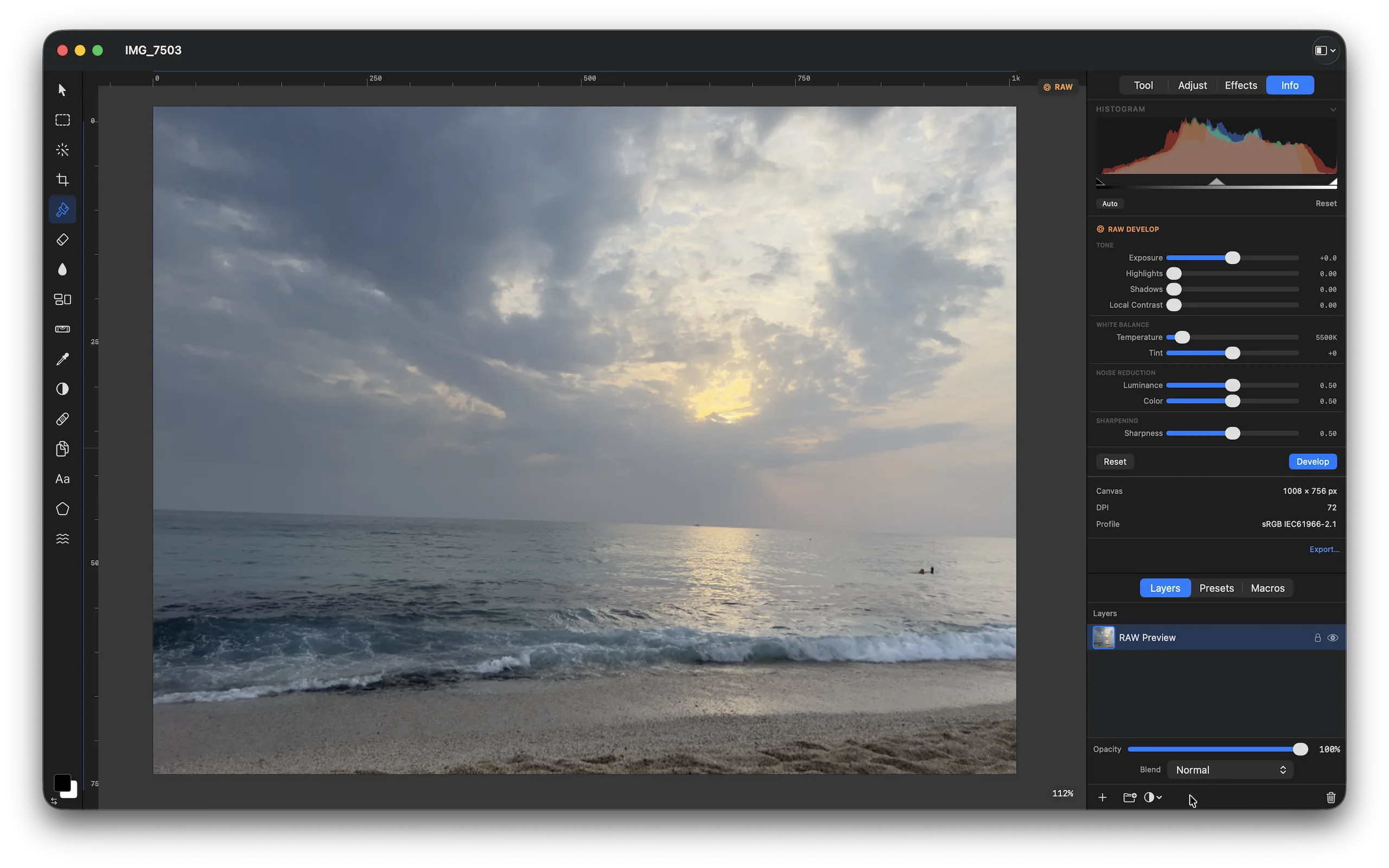
Open RAW files from any camera supported by macOS ImageIO. Dedicated RAW controls for white balance, exposure, noise reduction, sharpening, and chromatic aberration — all non-destructive. Plus 14 adjustment layer types including Curves, Levels, HSL per colour range, Gradient Map, Vignette, and more.
Highlights
- RAW support: CR2, CR3, NEF, ARW, DNG, ORF, RW2, RAF, and all macOS ImageIO formats
- Curves — per-channel RGB with up to 5 control points
- HSL — global and per colour-range (R/Y/G/C/B/M)
- 14 adjustment layer types — all non-destructive, maskable, reorderable
Export Everywhere — Including PSD
Export to JPEG, PNG, TIFF, HEIC, WebP, PDF, and Photoshop PSD for round-trip workflows with colleagues on Photoshop. Import from all major RAW formats, HEIC, WebP, and more. The native .forge format is an open ZIP-based document — your data is never locked in.
Highlights
- PSD export — Photoshop-compatible for round-trip collaboration
- JPEG, PNG (8/16-bit), TIFF, HEIC, WebP, PDF export
- Import RAW from any camera macOS ImageIO supports
- Open .forge format — ZIP-based JSON, human-readable, never proprietary
Technical specifications.
CANVAS & LAYERS
- Unlimited pixel, adjustment, text, fill layers
- 60fps Metal GPU compositing
- Full blend mode library
- Non-destructive layer masks
BRUSH ENGINE
- 7 brush tip types
- Size 1–500px, hardness, opacity, flow
- Scatter, Textured, Square tips
- Mask painting mode
ON-DEVICE AI
- Background Removal (Vision)
- Smart Select + Saliency Select
- AI Upscale 2×/4×/8× (Core ML)
- AI Denoise + Auto Enhance
ADJUSTMENTS
- Curves, Levels, HSL per-range
- Exposure, White Balance, Vibrance
- Shadows & Highlights, Vignette
- Gradient Map, Black & White
RAW & RETOUCHING
- All macOS ImageIO RAW formats
- Dedicated RAW develop module
- Clone Stamp, Heal, Dodge/Burn
- Liquify — warp, pucker, bloat
EXPORT
- JPEG, PNG, TIFF, HEIC, WebP
- PSD — Photoshop round-trip
- PDF with vector text preserved
- Open .forge document format
Questions
Frequently asked questions
How does Pictureforge compare to Adobe Photoshop?
Pictureforge covers the core professional editing workflow — unlimited layers, masks, curves, healing, RAW develop, text, and brush engine — with a modern native macOS UI and on-device-only AI. Photoshop costs $252/year and depends on cloud AI servers. Pictureforge is a one-time purchase with all AI running locally.
How does it compare to Pixelmator Pro?
Pictureforge adds a professional 7-tip brush engine, a dedicated RAW develop module, dodge/burn/heal/liquify retouching tools, AI upscaling at up to 8×, and PSD export for Photoshop round-trips. Both are excellent native macOS apps — Pictureforge targets users who need deeper retouching and RAW workflow capabilities.
Is Pictureforge really free?
Yes. Pictureforge is free to download and use with no subscription and no in-app purchases. All features described are included at no cost.
Do AI features require an internet connection or an account?
No. All AI features — Background Removal, Smart Select, Upscale, Denoise, Auto Enhance, Saliency Select, and White Balance Correction — run entirely on your Mac using Apple Vision, Core ML, and Foundation Models. No image is ever uploaded to a server. No account is required.
What RAW formats are supported?
Pictureforge supports all RAW formats handled by macOS ImageIO, including CR2, CR3 (Canon), NEF (Nikon), ARW (Sony), DNG (Adobe/Universal), ORF (Olympus), RW2 (Panasonic), and RAF (Fuji). Any camera whose RAW format is supported by macOS will work in Pictureforge.
What is the .forge file format?
The native .forge document is an open ZIP archive containing your layer data, adjustment settings, and metadata as JSON. You can inspect or process .forge files with any archive utility or script — your work is never locked in a proprietary format.
How Pictureforge was built
Technical notes behind the app.
The product pages show what shipped. These guides and case studies document the architecture patterns, privacy decisions, and SwiftUI implementation details behind apps like Pictureforge.
Download Pictureforge
Professional photo editing for macOS. Unlimited layers, RAW develop, 7-brush engine, and on-device AI. Free. No subscription. No account.
Download on the Mac App StoreFree
Requires macOS 15 or later · Apple Silicon recommended · All AI runs on-device
Part of Forge Suite
Pictureforge is part of the Forge Suite family.
Explore six native Mac apps for 3D, spreadsheets, documents, photos, video, and audio. Each app explains its availability and any optional upgrades on its own product page.