
01
Signed for macOS
Developer ID signed, Apple notarized and stapled for a standard Gatekeeper installation.

Free companion download
DimensionForge · CLI 1.0.0
Build, inspect, validate, render and export 3D projects from Terminal or a compatible local MCP client. The companion is a separate download and never installs itself from inside DimensionForge.
Apple silicon · macOS 26 or later · 7 MB ZIP · Free
Standalone CLI and MCP operations use DimensionForge's free tier. App-connected MCP can use the Mac app's verified Pro entitlement when available.
01
Developer ID signed, Apple notarized and stapled for a standard Gatekeeper installation.
02
Commands connect locally. Project content is not routed through a 3Nsofts service.
03
App-connected agent proposals remain visible for review before DimensionForge applies them.
Installation
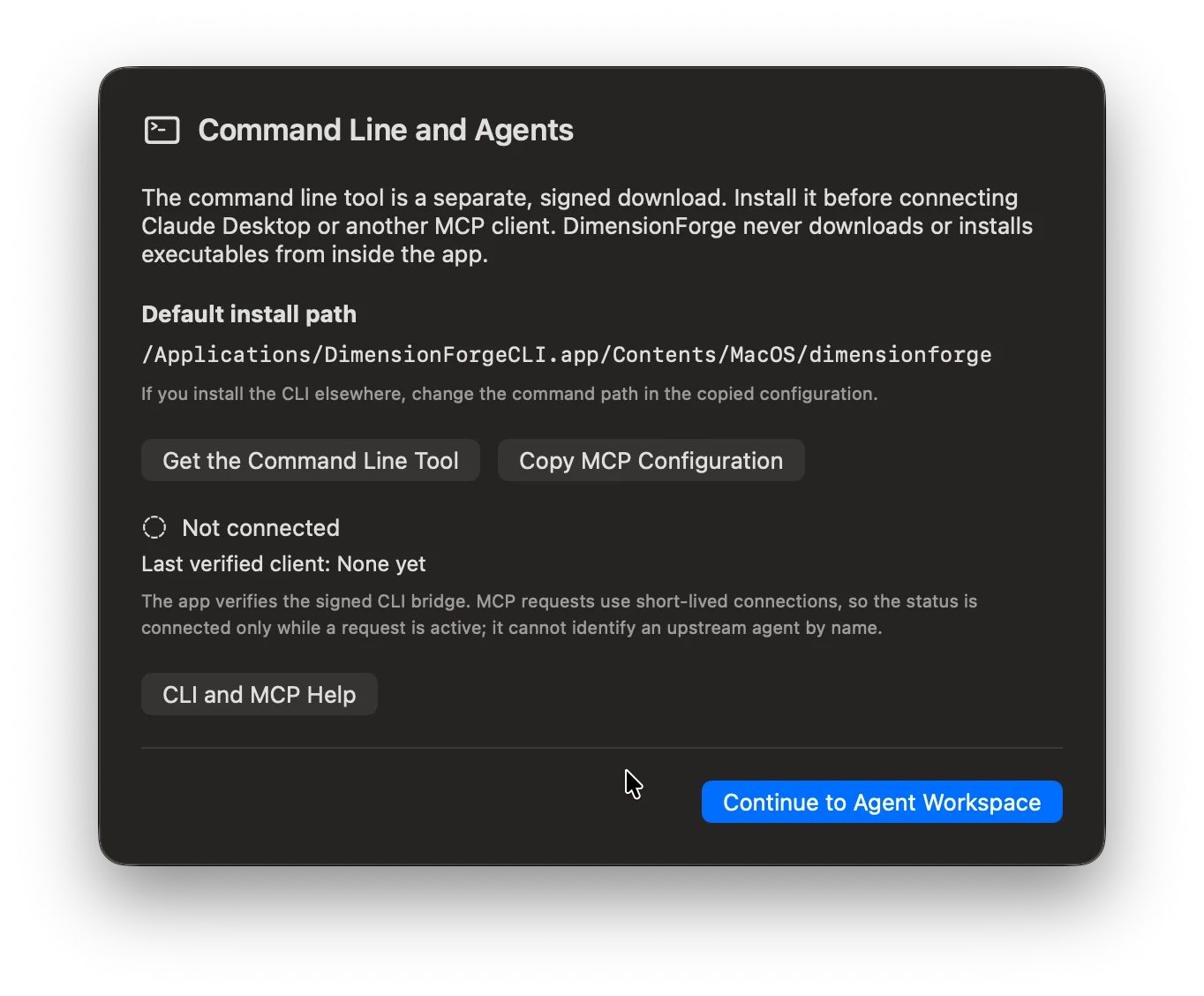
DimensionForge does not download or install executable code. Download the companion here, place it in Applications, and let macOS perform its normal verification.
DimensionForgeCLI.app into Applications./Applications/DimensionForgeCLI.app/Contents/MacOS/dimensionforge version --json. macOS may verify the notarized app on first use; approve the normal Gatekeeper prompt only when this page's checksum matches the downloaded ZIP.Verify the ZIP before opening
shasum -a 256 ~/Downloads/DimensionForgeCLI-1.0.0-macOS-arm64.zipSHA-256: 45bdf70dc7d9a2233200906d5055c08dc664e032a47abe72103baddca0e4f46b
Do not disable Gatekeeper or remove quarantine to install this tool.
MCP setup
Paste this server definition into your MCP client. The Mac app provides the same configuration through Command Line and Agents.
App-connected mode requires DimensionForge to be running. For free operations without the app, change app-connected to standalone. Standalone mode cannot inherit an in-app Pro purchase.
{
  "mcpServers": {
    "dimensionforge": {
      "command": "/Applications/DimensionForgeCLI.app/Contents/MacOS/dimensionforge",
      "args": [
        "mcp",
        "--mode",
        "app-connected"
      ]
    }
  }
}
The native Mac app
DimensionForge provides the visual workspace, project review and optional Pro tools. It is distributed through the Mac App Store so StoreKit purchases work correctly. The CLI companion remains a separate free download.