

Understand what your Mac is doing.
Keep the evidence local.
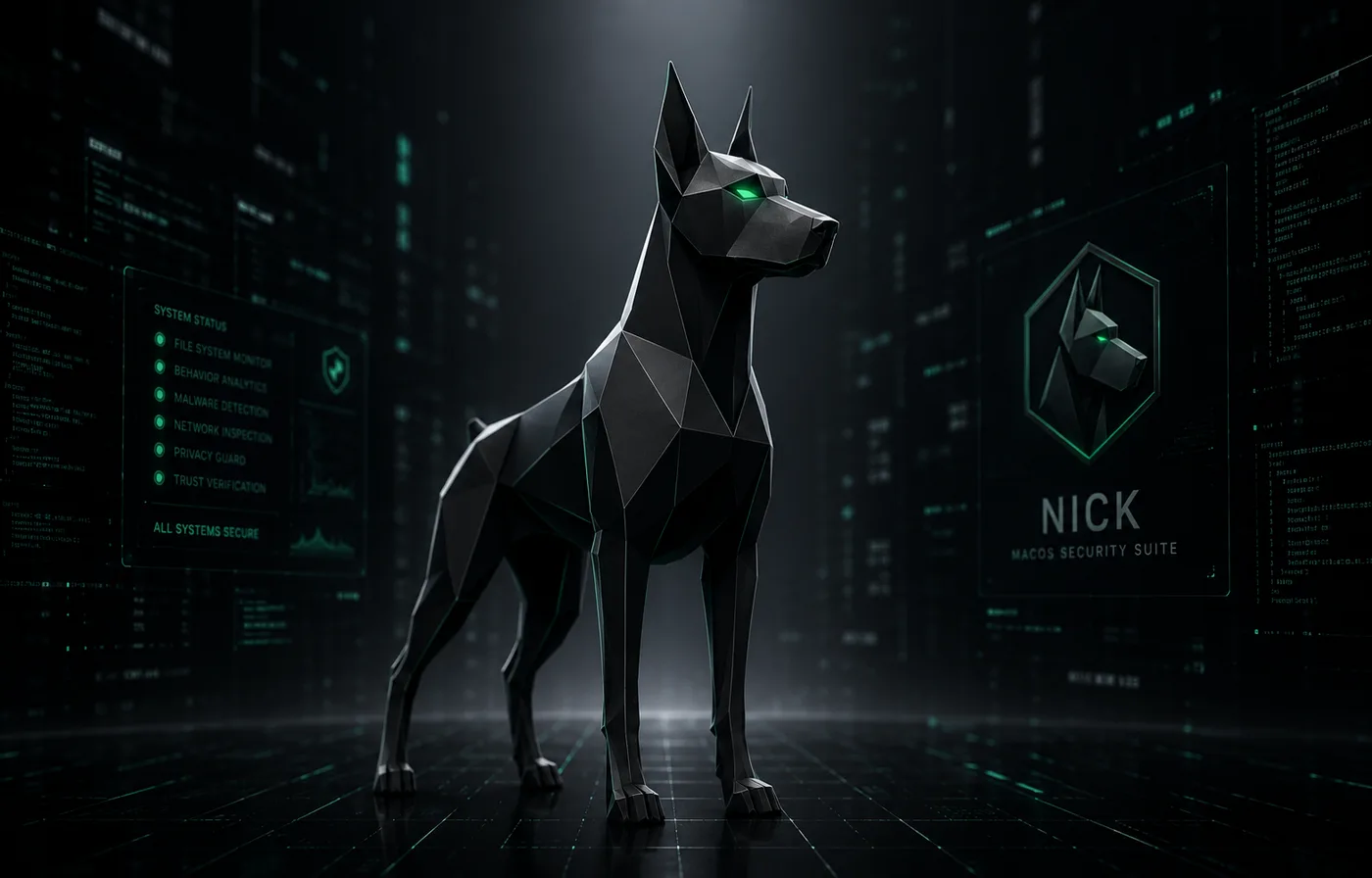
Nick 4.6.3 gives you one clear protection state, local app and file scanning, and a hardened boundary between the app and its security extension.
Requires macOS 26+ · Apple Silicon or Intel · Free · AGPL-3.0
Version 4.6.3 · Build 430
A tighter boundary around Nick itself.
Nick 4.6.3 hardens communication with its security extension, protects local event storage, and makes quarantine restore safer while preserving the Simple and Advanced experiences.
- Exact signed-app identity required for extension communication
- Persisted endpoint events stored with extension-only access
- Quarantine restore resists redirected paths and unsafe permission restoration
- Less sensitive process information written to diagnostic logs
- 497 tests executed: 493 passed, 4 platform-dependent tests skipped, 0 failed
Everything in One App
Protection across your Mac
Virus Scans
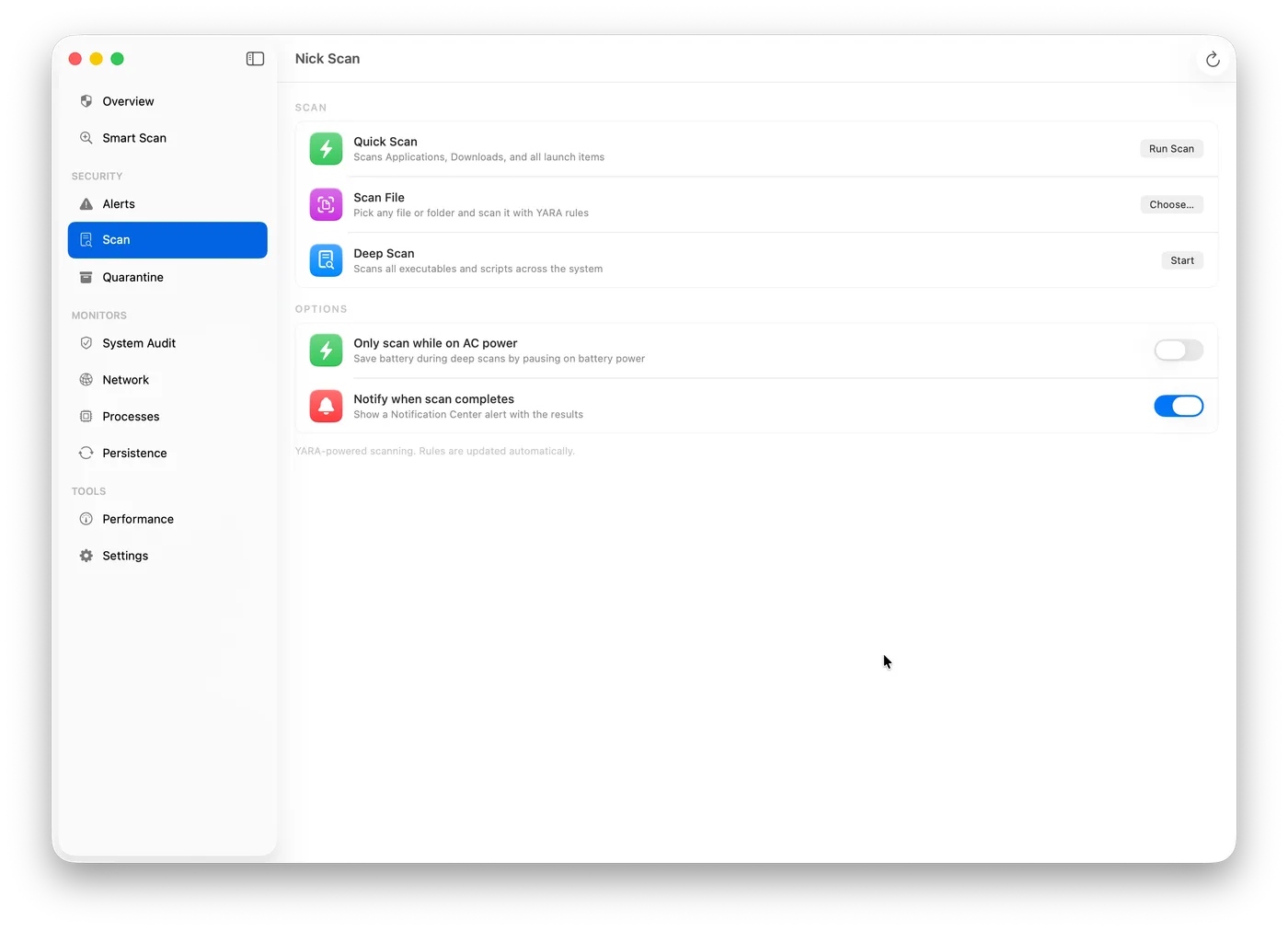
Real-time file scanning with SHA-256 signature matching and heuristic YARA rules — catches known malware and novel variants.
Ransomware Shield
Canary files planted across your home folder trigger immediate alerts. Entropy detection and behavioral monitoring catch encryption loops before damage spreads.
Network Monitor
Every active TCP/UDP connection mapped to its owning process in real time. Anomaly detection flags reverse shells, SSH tunnels, and unexpected listeners.
Scam Guardian
Optional destination filtering checks signed rules and lookalike domains through Apple’s Network Extension. It requires your approval and does not inspect page contents or store full URLs.
Privacy Guard
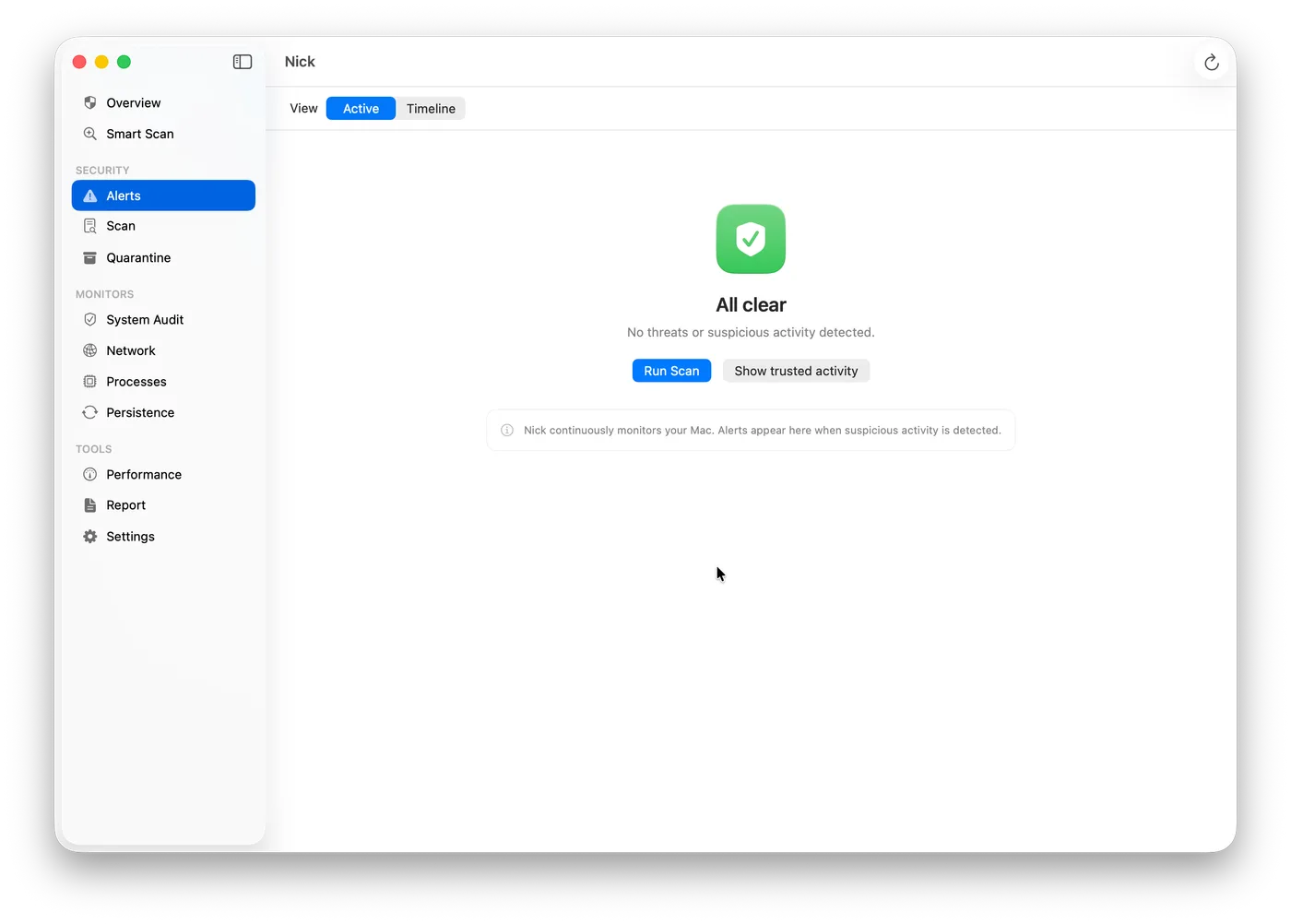
TCC database monitoring for camera, microphone, and contacts. Any unauthorised permission change or unexpected access triggers an instant alert.
Email Guard
Attachment scanning for supported Apple Mail and Outlook locations. Full Disk Access is required for protected mail data.
Performance
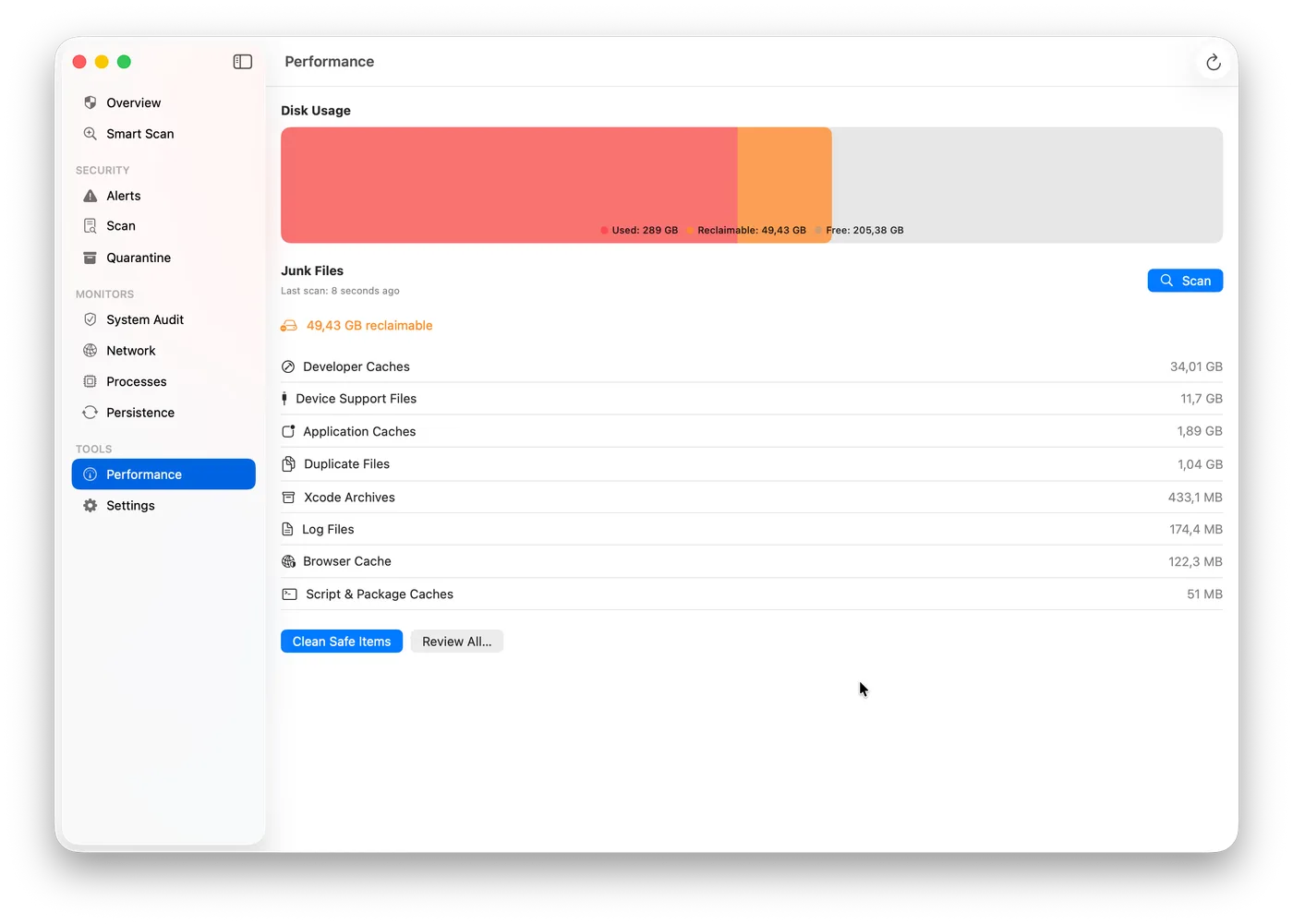
Disk cleanup with 33 scan categories powered by the Junkyard engine — caches, logs, Xcode simulators, and more, all sent to Trash first.
Smart Scan
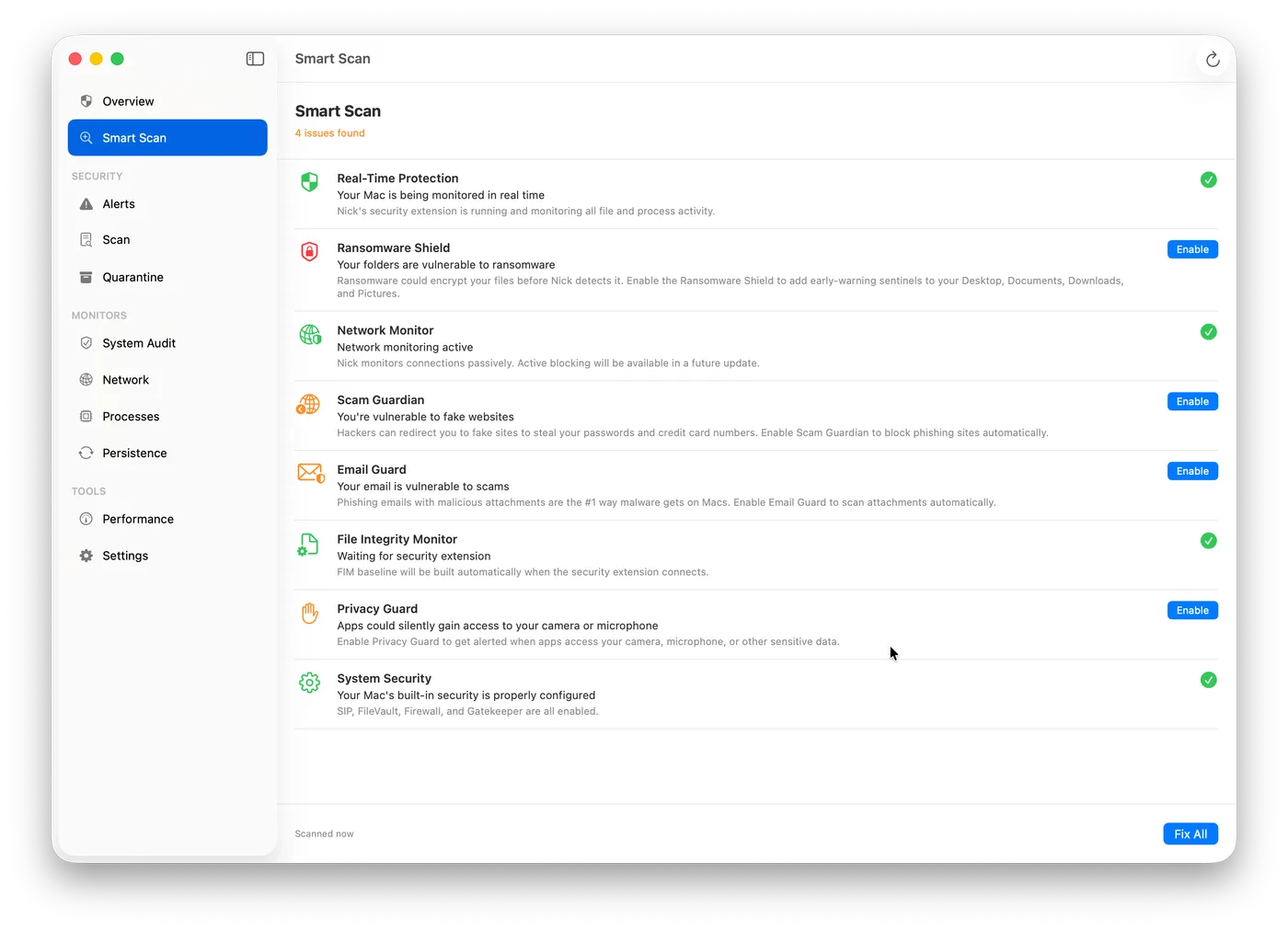
One-tap security audit that checks every detection layer simultaneously and surfaces actionable Fix buttons for each finding.
Process Inspector
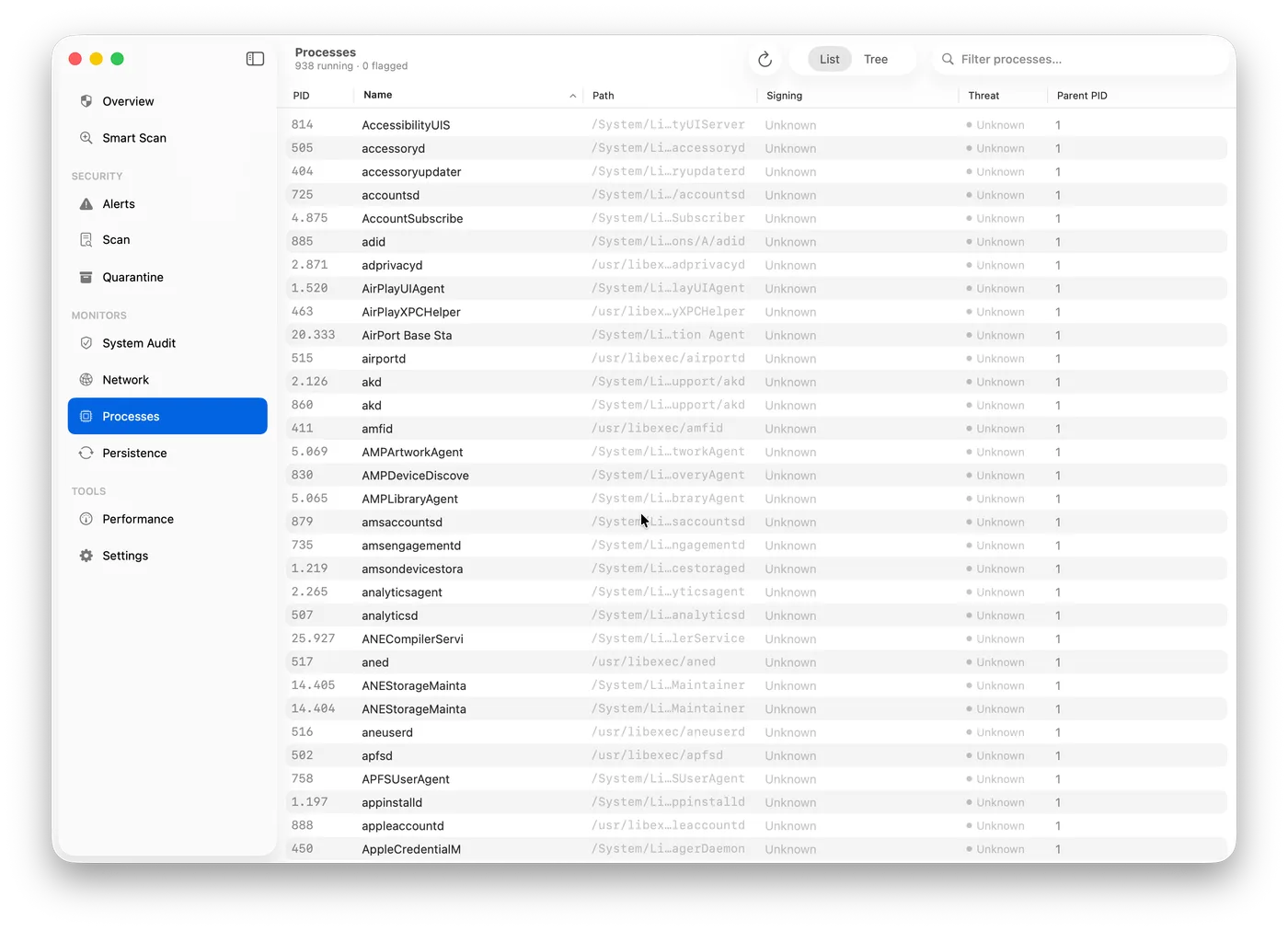
Attack chain visualisation — maps parent-child process relationships, flags LOLBin abuse, and traces the full execution path of suspicious behaviour.
Everything macOS built-ins miss.
Nick combines detection, protection, and performance tools in one native Mac security suite.
System Integrity Audit
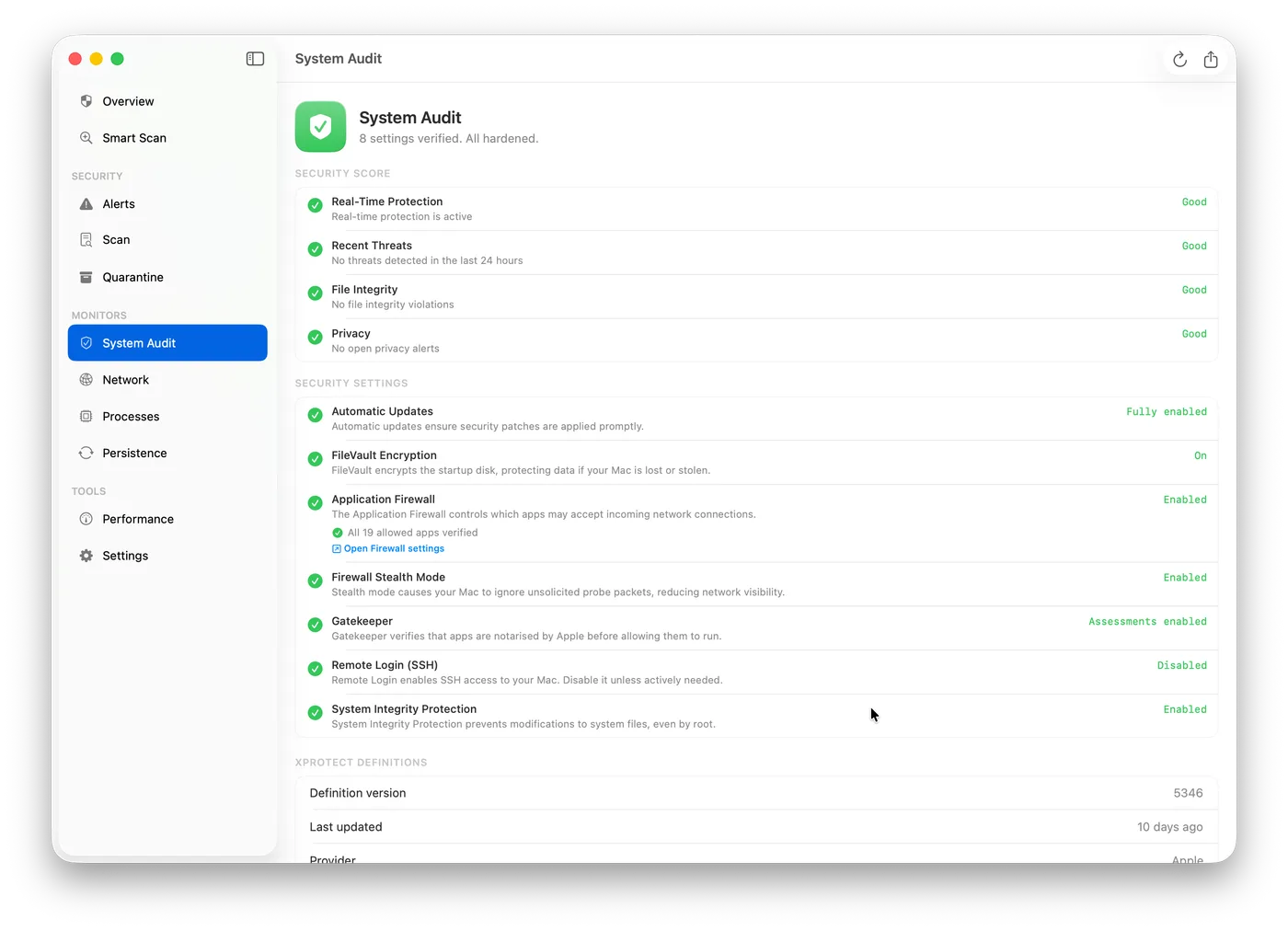
Continuously verifies your Mac’s security posture: SIP, FileVault, Gatekeeper, Application Firewall, XProtect definition freshness, TCC database integrity, and sudo configuration — with actionable fix recommendations.
Persistence Monitor
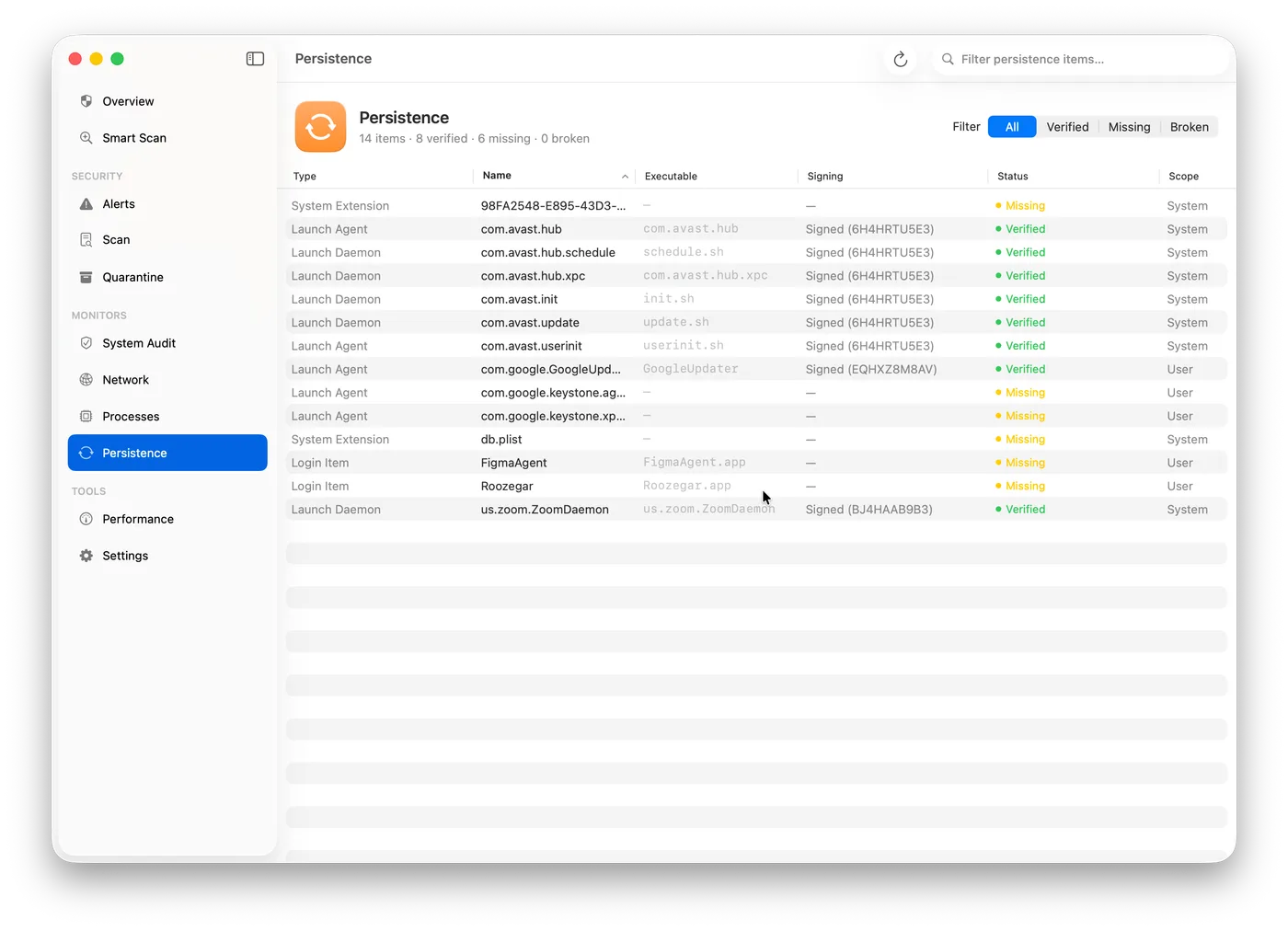
FSEvents watcher on every known macOS persistence location — LaunchAgents, LaunchDaemons, Login Items, cron, periodic scripts, and browser extensions. Parses each plist, validates code signatures, and diffs against a first-run baseline.
Network Watchdog
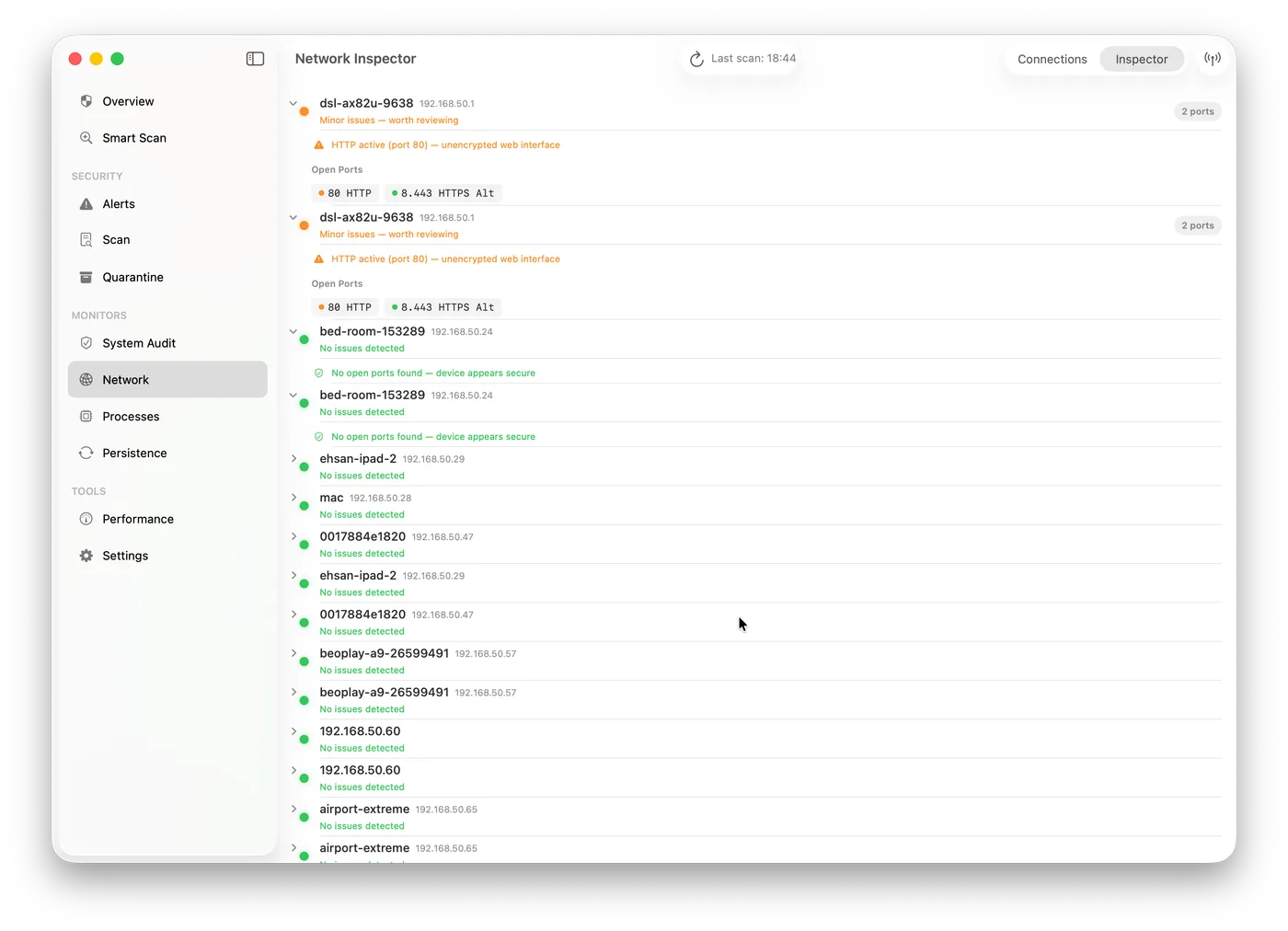
Maps every active connection to its owning process. Detects reverse shells (shell process with outbound TCP), SSH tunnels via argument inspection, unexpected listening ports, and connections to known malicious domains.
Process Auditor
Polls running processes via sysctl every 5 seconds. Flags unsigned or ad-hoc signed binaries, execution from /tmp or hidden directories, LOLBin abuse patterns (curl | bash, obfuscated osascript), and suspicious parent-child chains.
YARA Scanner
Embedded libyara engine with curated macOS-specific rules. Supports quick, full, targeted, and real-time scan modes. Heuristic analysis includes entropy scoring, Mach-O header inspection, and embedded URL/IP extraction.
Camera & Mic Sentinel
Detects unauthorised activation of CoreMediaIO video devices and CoreAudio input devices in real time. Attributes each activation to the responsible process and escalates to high severity when an unsigned binary is found accessing media hardware.
Endpoint Security (New in v3.0)
Apple’s Endpoint Security API gives Nick real-time kernel-level visibility into every process fork, file open, and network flow — events arrive before execution completes. This enables true blocking (not just detection): Nick can quarantine a file mid-write and prevent a malicious process from launching.
Ransomware Shield & Quarantine (New in v3.0)
Canary files planted across your home folder, Downloads, and Desktop trigger an immediate alert if any process touches them. Files from flagged processes are automatically moved to quarantine. Tamper protection prevents unauthorized termination of Nick itself — so ransomware can’t disable your security tool before encrypting your disk.
Performance Engine (New in v3.0)
Powered by the Junkyard disk-cleanup engine — 33 scan categories including Xcode derived data, iOS simulators, system caches, app logs, and duplicate files. Results always go to Trash first; nothing is deleted without your approval. Sparkle keeps Nick’s threat signatures and YARA rules current automatically — no manual re-download required.
How Nick Compares
One open-source app that replaces six security tools.
Nick combines behavioral correlation, virus and YARA scanning, ransomware protection, persistence monitoring, process inspection, optional network filtering, Privacy Guard, email attachment scanning, performance cleanup, and Smart Scan — all in one native Mac app.
| Feature | NickThis | Objective-See6 apps | Built-inmacOS only | Intego$40–70/yr | Norton$59/yr | AvastFree–$35/yr |
|---|---|---|---|---|---|---|
| Behavioral threat correlation | ||||||
| Correlated threat detection | ||||||
| Endpoint Security API | ||||||
| Virus / YARA scanning | ||||||
| Ransomware Shield | ||||||
| Persistence monitor | ||||||
| Process Inspector | ||||||
| Network Monitor | ||||||
| Privacy Guard (TCC) | ||||||
| Email Guard | ||||||
| Performance cleanup | ||||||
| Smart Scan | ||||||
| System hardening audit | ||||||
| Single app | ||||||
| Open source | ||||||
| No cloud dependency | ||||||
| Free |
The Differentiator
Behavioral Threat Correlation
Individual signals are noisy. A new process in /tmp could be a developer build. An unsigned binary could be your own tool. A new outbound connection could be a software update.
Correlated signals are actionable. Nick’s ThreatCorrelator combines process, persistence, network, file, and privacy activity through transparent rules, surfacing higher-confidence patterns without depending on a production Core ML scoring model.
On macOS 26, alert explanations are generated on-device via Foundation Models — plain English, no cloud call.
Signals Nick Correlates
No data ever leaves your Mac.
Dropper Sequence Example
curl downloads binary to /tmp
MEDIUMUnsigned binary executes 2 seconds later
HIGHOutbound connection to raw IP on :443
CRITICAL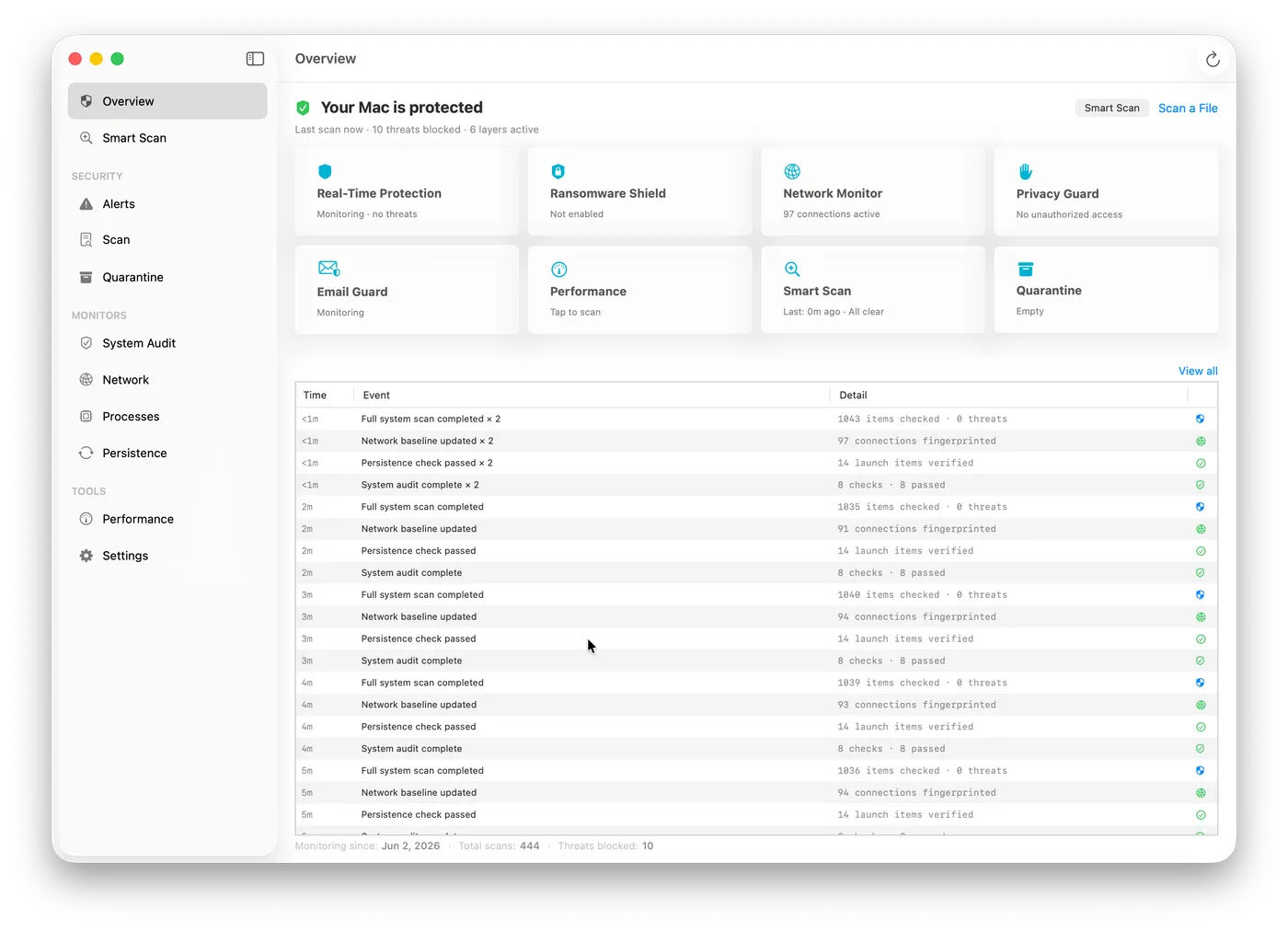
Nick Lab · Interactive Demo
Try the scoring engine
Toggle threat signals or pick a real-world scenario to watch the ThreatCorrelator calculate a live risk score — the same correlation logic Nick runs on your Mac.
Nick Lab
Behavioral Threat Scorer
Toggle signals or pick a scenario to see the ThreatCorrelator live
Scenario Presets
Manual Signal Selection
Threat Score
Logged silently — no notification
Active signals
0
Monitor types
0
How it works
No signals active. Toggle signals above or select a preset scenario to see the behavioral scoring engine in action.
Alert thresholds
This is a simplified front-end approximation of Nick's ThreatCorrelator logic for demonstration purposes.
Improve the real model on GitHub →Open Source
Nick is community-powered
Security tools ask for deep trust. Full Disk Access. Network monitoring. Camera and microphone access. For Nick, you can read every line that runs with those permissions. And you can improve it.
Questions
Frequently asked questions
Does Nick replace an antivirus?
Nick combines Apple Endpoint Security monitoring, observation-only network threat reporting, YARA scanning, behavioral correlation, ransomware defense, Email Guard, and Scam Guardian. No single security tool can guarantee detection of every threat.
Will Nick slow down my Mac?
Nick 4.6.3 keeps network diagnostics read-only and its Network Filter observation-only. Simple mode makes protection status easier to understand without weakening the context-aware verdicts used by Advanced mode.
What macOS versions does Nick support?
Nick 4.6.3 requires macOS 26 or later and supports Apple Silicon and Intel Macs.
Is Nick on the App Store?
No. Full Disk Access and the Endpoint Security system extension are incompatible with App Store sandboxing. Nick is distributed as a notarized DMG from 3nsofts.com/nick and GitHub Releases. Sparkle handles automatic updates so you never need to re-download manually.
What does AGPL-3.0 mean for me?
You can freely use, modify, and distribute Nick. If you run a modified version as a network service, you must publish your source code. This keeps the detection logic open to the security community permanently.
How does the AI scoring work?
Nick 4.6.3 uses transparent correlation rules to combine process, persistence, network, file, and privacy signals into higher-confidence alerts. Technical evidence remains available in Advanced mode; Foundation Models can provide private, on-device explanations when available.
Free · Open Source · macOS 26+
Download Nick 4.6.3
Free. Open source. No hosted analysis. Local security monitoring, scanning, explainable evidence, and private on-device explanations — in one native macOS app.
Requires macOS 26+ · Apple Silicon or Intel · AGPL-3.0
Updates automatically via Sparkle — no re-download needed for future versions.